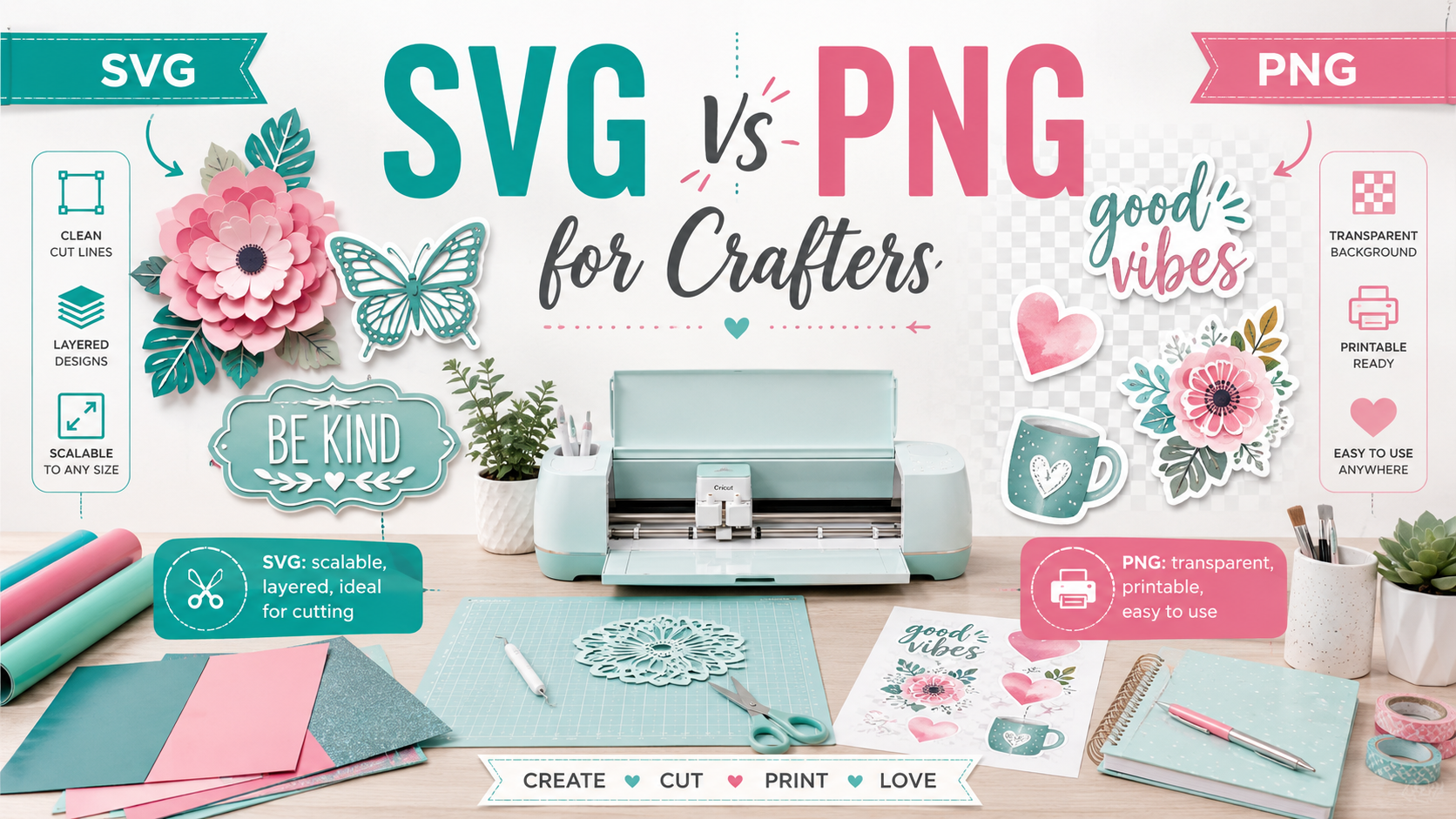
If you are a crafter, Cricut user, Silhouette user, sticker maker, sublimation creator, or small handmade business owner, you have probably seen SVG and PNG files everywhere. These two file types are popular in the crafting world, but they are not the same.
Choosing the right file type can make a big difference in your final project. The wrong file can lead to blurry prints, messy cut lines, difficult layering, poor sticker quality, or wasted materials. The right file can help your project look clean, professional, and easy to make.
In this guide, you will learn the real difference between SVG and PNG files, when to use each one, and which file type is best for Cricut, Silhouette, vinyl, stickers, shirts, mugs, tumblers, sublimation, labels, and handmade products.
What Is an SVG File?
SVG stands for Scalable Vector Graphics. For crafters, an SVG file is usually known as a cut file. It is commonly used with cutting machines like Cricut and Silhouette.
An SVG file is made from vector paths, not pixels. This means the design can be resized without becoming blurry. You can make an SVG design small for a sticker or large for a wall decal, and it can still stay clean and sharp.
SVG files are especially useful for projects that need clean cut lines. If you are cutting vinyl, cardstock, iron-on, paper, decals, labels, or layered designs, SVG is usually the best choice.
What Is a PNG File?
PNG stands for Portable Network Graphics. For crafters, a PNG file is usually used as a print file. It is commonly used for full-color designs, stickers, sublimation, printable vinyl, shirts, mugs, tumblers, and Print Then Cut projects.
A PNG file is made from pixels. This means it can include detailed artwork, watercolor effects, shadows, textures, glitter effects, illustrations, and colorful designs. Many PNG files also have transparent backgrounds, which makes them very useful for craft projects.
PNG files are perfect when you want to print a design instead of cutting separate layers.
SVG vs PNG: Simple Difference for Crafters
The easiest way to understand the difference is this:
SVG is best for cutting.
PNG is best for printing.
Use SVG when your machine needs to follow cut lines. Use PNG when you want a colorful printed design.
For example, if you want to cut a vinyl quote for a shirt, SVG is the better choice. If you want to make a full-color sticker with watercolor flowers and text, PNG is the better choice.
You should use SVG files when your project needs clean cutting. SVG files are ideal for Cricut and Silhouette projects where the machine needs to cut around shapes, letters, or design layers.
SVG files are great for:
Vinyl decals, wall decals, car decals, laptop decals, water bottle decals, layered cardstock projects, paper crafts, iron-on shirts, heat transfer vinyl, sign making, labels, stencils, cake toppers, greeting cards, and layered designs.
If you are creating a project where each color needs to be cut separately, SVG is usually the better file type. For example, a layered vinyl shirt design with black text, pink flowers, and green leaves works best as an SVG because each color can be separated and cut from different materials.
When Should Crafters Use PNG Files?
You should use PNG files when your project needs full-color printing. PNG files are perfect for designs that include shading, texture, watercolor, realistic effects, photos, illustrations, or colorful artwork.
PNG files are great for:
Stickers, printable vinyl, printable iron-on, sublimation shirts, sublimation mugs, tumblers, planner stickers, business labels, packaging stickers, party tags, invitations, digital prints, clipart, and Print Then Cut projects.
If you are making a colorful sticker sheet or sublimation tumbler design, PNG is usually the better file type because it keeps the artwork as a full-color image.
SVG for Cricut Projects
SVG files are one of the most popular file types for Cricut users because they work well for cut projects. When you upload an SVG into Cricut Design Space, the design is usually easier to work with for cutting because the shapes and paths are already prepared.
For Cricut crafters, SVG files are best for:
Vinyl decals, iron-on designs, cardstock crafts, paper flowers, cake toppers, layered signs, custom labels, monograms, wall quotes, and multi-color projects.
A good SVG file should have clean lines, organized layers, and simple shapes that your machine can cut smoothly.
PNG for Cricut Projects
PNG files are also very useful for Cricut users, especially for Print Then Cut projects. With a PNG file, you can print your design on sticker paper, printable vinyl, or printable iron-on, then let your Cricut cut around the printed image.
For Cricut crafters, PNG files are best for:
Stickers, planner stickers, sublimation designs, printable shirt transfers, mug designs, tumbler graphics, labels, product packaging, and colorful quote designs.
A good PNG file should be high resolution, preferably with a transparent background, clean edges, and strong color quality.
SVG vs PNG for Silhouette Crafters
Silhouette users also work with both SVG and PNG files. SVG files are useful for cut projects, while PNG files are useful for print-and-cut projects.
Use SVG files in Silhouette projects when you want to cut vinyl, cardstock, HTV, decals, or layered designs. Use PNG files when you want to print stickers, labels, invitations, tags, sublimation designs, or colorful artwork.
For small business crafters using Silhouette machines, offering both SVG and PNG versions of a design can make your digital product more valuable because buyers can use the file in different ways.
SVG vs PNG for Stickers
For sticker making, PNG files are usually the better choice when the design is colorful, detailed, or illustrated. Most sticker designs include full-color artwork, shadows, outlines, or decorative effects, which work well as PNG files.
However, SVG files can also be useful for simple sticker shapes, sticker outlines, or text-based decals.
Use PNG for printed stickers.
Use SVG for vinyl sticker decals or simple cut shapes.
SVG vs PNG for Shirts
For shirts, the best file type depends on the method you are using.
Use SVG files for heat transfer vinyl or layered iron-on designs. This works well when you want to cut each color from a different sheet of vinyl.
Use PNG files for printable iron-on, sublimation, or direct-to-film style designs. PNG files are better for colorful artwork, gradients, photos, distressed designs, and detailed illustrations.
For example, a simple “Mama Bear” vinyl shirt works well as an SVG. A colorful floral birthday shirt design works better as a PNG.
SVG vs PNG for Sublimation
For sublimation, PNG is usually the better choice. Sublimation projects need full-color printed designs, and PNG files are perfect for that.
PNG files are commonly used for sublimation shirts, mugs, tumblers, keychains, ornaments, mousepads, tote bags, and other blanks.
SVG files are not usually the main choice for sublimation unless you are creating or editing a vector design before exporting it as a PNG.
SVG vs PNG for Vinyl Decals
For vinyl decals, SVG is usually the better choice. Vinyl decals need clean cut lines, and SVG files are made for that type of project.
SVG files work well for:
Car decals, wall decals, window decals, water bottle decals, laptop decals, name labels, business signs, and custom monograms.
PNG files are not ideal for basic vinyl cutting because they are pixel-based and may require extra cleanup before cutting.
Which File Type Is Better for Selling Digital Craft Files?
If you sell digital craft files, the best option is often to include both SVG and PNG formats. This gives buyers more flexibility and makes your product more attractive.
A strong digital craft listing may include:
SVG for cutting, PNG for printing, JPG for previews, DXF for some cutting software, and PDF instructions.
Offering multiple file types can help your product reach Cricut users, Silhouette users, sublimation crafters, sticker makers, vinyl creators, and small business owners.
Common Mistakes Crafters Make with SVG and PNG Files
One common mistake is using a PNG when an SVG is needed. This often happens with vinyl projects. A PNG may look good on screen, but it may not create clean cut lines automatically.
Another mistake is using a low-resolution PNG. If the PNG is too small, it can look blurry or pixelated when printed.
Another mistake is enlarging a PNG too much. PNG files can lose quality if they are stretched beyond their original size.
Some crafters also confuse transparent backgrounds with white backgrounds. A true transparent PNG should not have a white box behind the design.
Another common issue is buying a design without checking what file types are included. Always check whether the download includes SVG, PNG, or both before starting your project.
Which Is Better: SVG or PNG?
Neither file type is better for every project. The best file type depends on what you are making.
Choose SVG if you are cutting.
Choose PNG if you are printing.
Choose both if you want maximum flexibility.
For Cricut and Silhouette users, SVG files are perfect for vinyl, cardstock, paper crafts, and layered designs. PNG files are perfect for stickers, sublimation, shirts, mugs, tumblers, printable vinyl, and Print Then Cut projects.
Final Thoughts
Understanding SVG vs PNG for crafters can save time, reduce mistakes, and improve the quality of your finished projects. SVG files are best for cutting because they are scalable and work well with clean cut lines. PNG files are best for printing because they support full-color designs, detailed artwork, and transparent backgrounds.
If you are a beginner, remember this simple rule: use SVG for cut projects and PNG for print projects.
If you are selling digital craft files, offering both SVG and PNG versions can help your customers create more types of projects and make your product more valuable.


Reader notes
Join the conversation
Ask a question, share how you would use the idea, or leave a helpful note for other creators.